

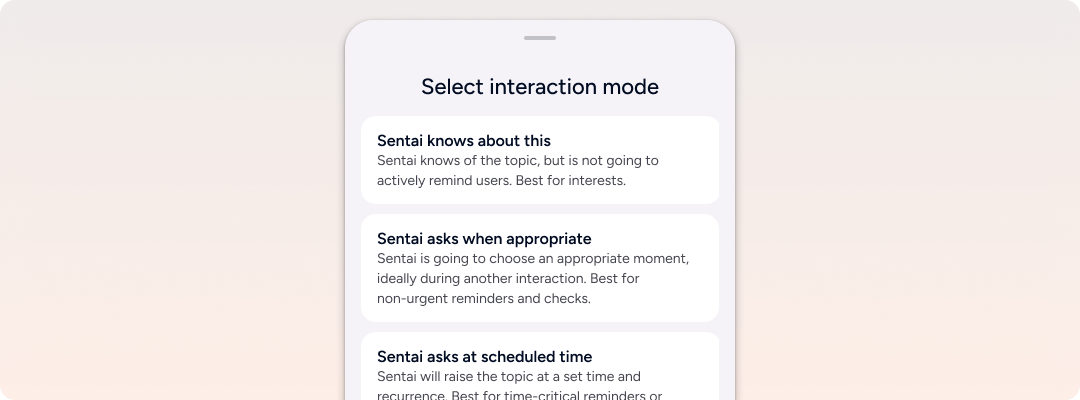
Sentai offers a number of options to schedule an interaction. By default, unless a reminder is time critical, we recommend using “Sentai asks when appropriate”. This reduces the number of interactions as Sentai will group conversations when possible.
Options
Sentai knows about this
Sentai knows of the topic, but is not going to actively remind users. Best for interests.
This option has a start and optional end date, but no fixed schedule. When asked Sentai will know about the topic, and might use that knowledge in conversation, for example: Sentai knows that I take a certain medication. Or Sentai knows that I like watching cricket.
This option is available for interests and topics, medications, and other reminders only.
Sentai asks when appropriate
Sentai is going to choose an appropriate moment, ideally during another interaction. Best for non-urgent reminders and checks. Options here daily, weekly, monthly, and yearly recurrences, and morning (day start to 12:00), afternoon (12:00-18:00), evening (18:00-day end), or any time in the day. This option has a start and optional end date.
Sentai will choose an appropriate timing based on presence and other interactions. Generally this is the recommended option for most interactions that are not time critical.
Sentai asks at scheduled time
Sentai will raise the topic at a set time and recurrence. Best for time-critical reminders or medications that need tracking. Options here daily, weekly, monthly, and yearly recurrences, with up to three times a day. This option has a start and optional end date.
Sentai asks during digital visit (Sentai Pro)
Sentai will raise the topic as part of an existing digital visit. Best for reminders, questions of medications that need tracking. Digital visits can be scheduled as “Sentai asks when appropriate” or as “Sentai asks at scheduled time”.
Create a one-off event
For a one-off event, select daily and set the end date to the same day.