Many of you told us that not every user easily remembers the wake word, and some users struggle to start a conversation. So we changed the function of the button on the Sentai hub so that when it’s pressed once, Sentai greets the user and starts a conversation. A long, 3-second press will still mute the device. During interactions, pressing the button once will still stop the interaction.
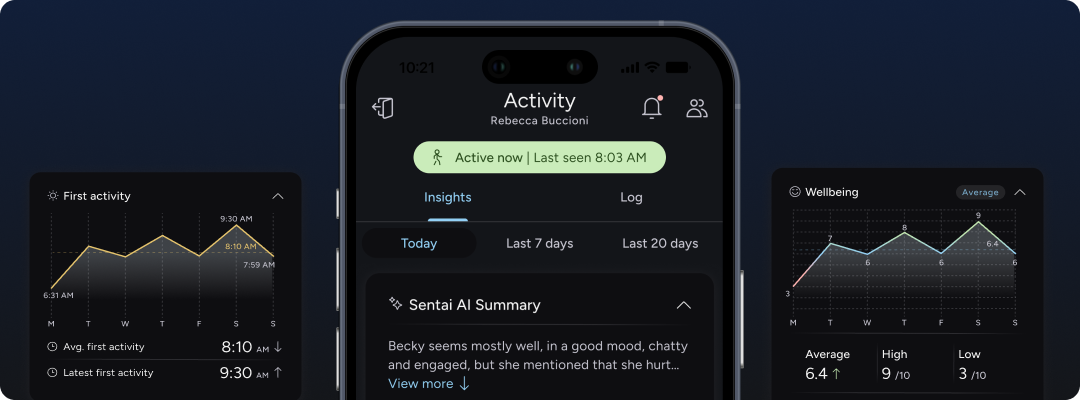
The Sentai app now supports dark mode and high contrast modes according to the settings on your phone. Check it out and let us know what you think!
We’ve improved insights in the app with new charts and AI-powered summaries. There are now new 7-day and 20-day AI summaries, and new reports on medication, hydration, and nutrition responses. In preparation for the availability of movement sensors and support for multiple Sentai hubs, activity is now presented as a bar chart.
Users can now ask Sentai to set a reminder at a time, or for a time period. Sentai will check in at the correct time and remind them of what they asked for. Try: “Hi Sentai, remind me to make tea in 10 minutes!”
To improve the relevance of the conversation, Sentai will now better remember interests and other details about users over time. Users can now query Sentai about what it knows about them, change preferences and ask Sentai to forget interests or preferences that they no longer want it to remember.

Sentai can now play the radio! Just ask for a specific radio station or the kind of music you’d like to play. For example, say: “Hi Sentai, play Classic FM!” or “Hi Sentai, play some classical music!”
Available stations are:
Classic FM
Classic FM Calm
Capital FM
Capital XTRA
Capital Dance
Heart UK
Heart 70s
Heart 80s
Heart 90s
Heart Dance
Smooth Radio UK
Smooth Country
Smooth Chill
Gold
Radio X
LBC
LBC News
We will add more stations including BBC stations shortly.
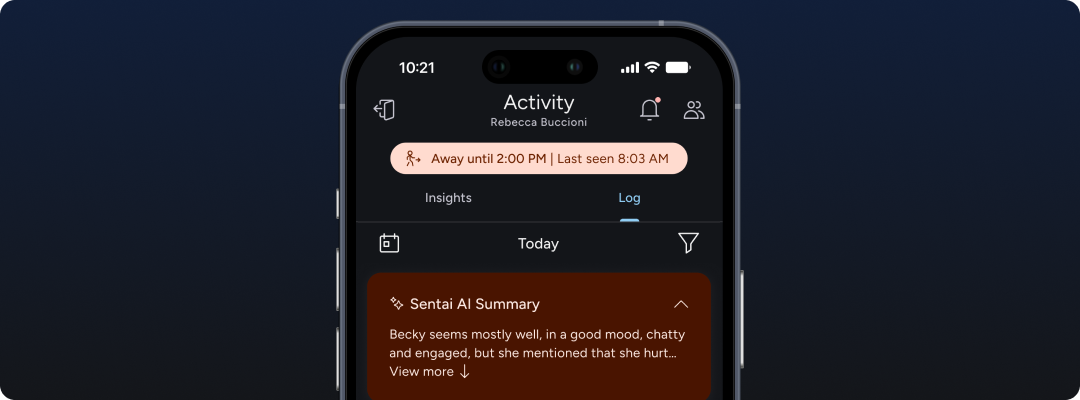
Users can now ask Sentai to not disturb them for a period of time, or tell Sentai that they are going away. Sentai will not try to reach out during this period. A notification will be sent to carers and family. This is an easy way to stop unwanted interruptions, for example during a conversation or an afternoon nap! It is also an easy way for users to inform the circle of care that they are not around. Sentai will try to catch up on earlier, missed reminders by weaving them into any later conversations, for example: “…by the way, did you get round to getting some lunch?”
Sentai will now clearly state when it can’t connect to background services. It will also use filler phrases to keep the conversation going when it’s busy looking something up.
You can now set Sentai to only trigger scheduled interactions when presence has been sensed. This lets you differentiate between interactions that you always want to be heard, for example a medication reminder, and interactions that should only be triggered when the user is present.
Sentai now has improved local information using Google Maps. This enables users to easily find locations or services in the vicinity, or query other location-related information.
You can now change the Wi-Fi network of a Sentai hub, by going to Devices, selecting the hub, and scrolling to Change Wi-Fi. You can do this whilst the device is connected to the old Wi-Fi, or if it has become disconnected from the network after moving it somewhere else. In the latter case, the hub must be connected to power first to change the Wi-Fi network.
In Devices, you will now see an option to add Passive Infrared Sensors (PIR) to a deployment to enable advanced movement monitoring across rooms. Sensors will become available in the next weeks, please ask our support team for more details if you are interested.