Sentai can keep users engaged and mentally agile with conversations around topics that interest them. You can use interests and topics to trigger a chat about a topic of interest at specific times, or simply give Sentai some knowledge about the user and their interests. Interests and topics can be created and edited in the Sentai app, and in the Sentai Pro dashboard for care professionals. A brief summary of each resulting conversation will be visible in the Activity log once it has taken place.
Scheduled conversations about an interest are also ideal for users who’d like to chat but may not remember the wake word.
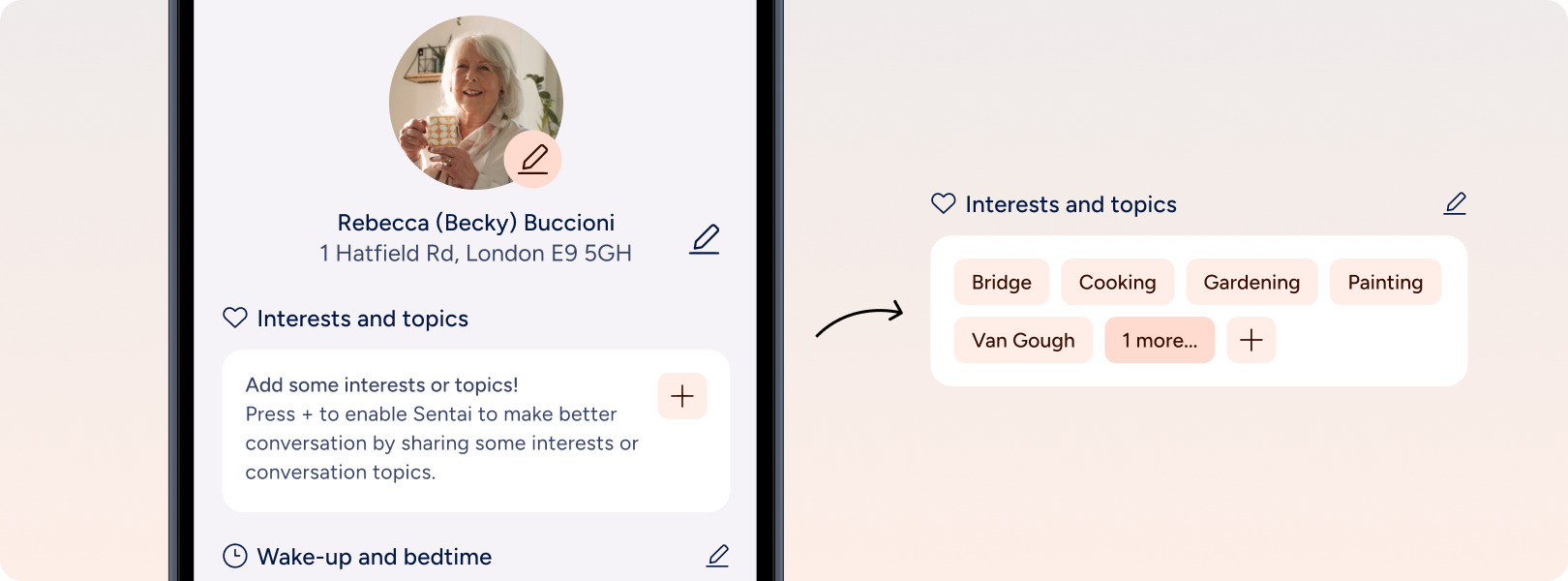
Go to Profile and then Interests and topics, and you’ll see a list of conversation topics if any have been set, and a big plus button.
Press plus to create a new conversation.
Enter the display name and the topic of the conversation. The display name is the name shown in the app. The topic is the instruction to Sentai what to talk about, got example a topic of interest to the user.
Press Save.
Conversation topics can be edited in the Sentai app. To edit a scheduled conversation in the app:
Go to Settings and then Conversations, and you’ll see a list of conversations that have been set.
Press the three dots on the list item
Press Edit to edit the conversation, or press Delete to delete the conversation topic.
If you are editing the question, press Save to save your changes.
Carers who have access to the Sentai Pro Dashboard can also set and edit conversations in the dashboard.
In the dashboard, go to go to Users in the left navigation.
Search for the user, or find the user in the list. Press the eye icon in the list to go to the relevant user.
In the user’s profile page, go to Settings and Conversations.
Open the panel. Press Add conversation to create a new conversation.
Enter the display name, the content of the conversation.
Set the schedule of the event, start and end date, and times, where applicable. You can choose from the following options:
Sentai knows about this
Sentai knows of the topic, but is not going to actively remind users at a set schedule, instead weaving it into conversation when asked.
Sentai asks when appropriate
Sentai is going to choose an appropriate moment either in the morning, afternoon, evening, any time of the day.
Sentai asks at scheduled time
Sentai will raise the topic at a set time and recurrence.
Find our more about scheduling
Press Save.
In the dashboard, go to go to Users in the left navigation.
Search for the user, or find the user in the list. Press the eye icon in the list to go to the relevant user.
In the user’s profile page, go to Settings and Interests and topics.
Open the panel. Next to the name of the interest, press the pen icon to edit the interest or topic, or the bin icon to delete.
If you are editing the interest, press Save to save your changes.